How to turn on the projector:
- Hook up the HDMI cable to your device(laptop, tablet, etc.)
- Select the HDMI button on the control panel to turn on the projector. It may take a minute or two before the projector displays properly.
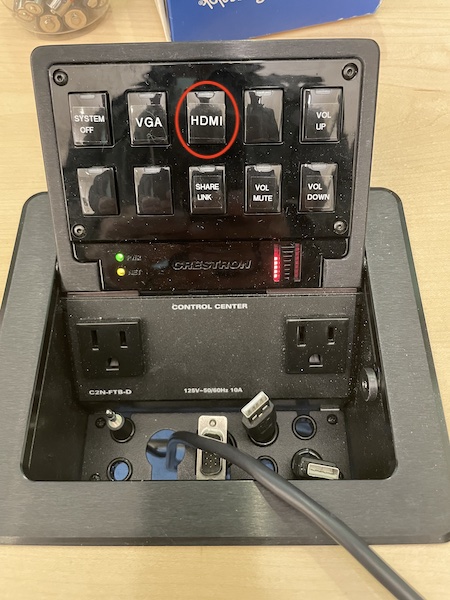
How to turn the projector off:
- Unhook up the HDMI cable to your device(laptop, tablet, etc.)
- Select the System Off button on the control panel to turn the projector off.
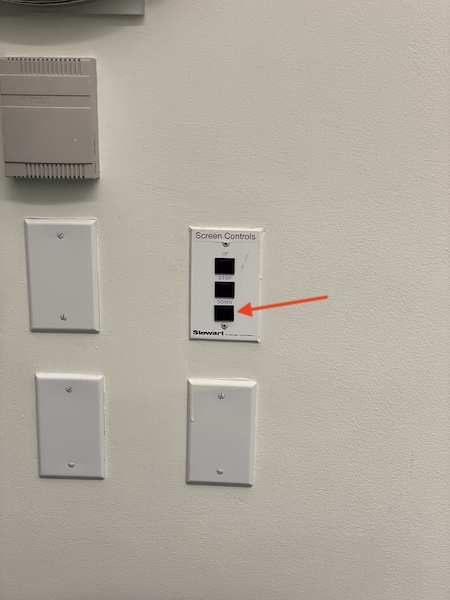
To raise and lower the projector screen:
- The projector screen controls are located in the back of the room under the clock
- Press the Down button to lower the screen
- Press the Up button to raise the screen